Microsoft Pilots Phone Controller and Wi-Fi Nano Link for Xbox Cloud Gaming
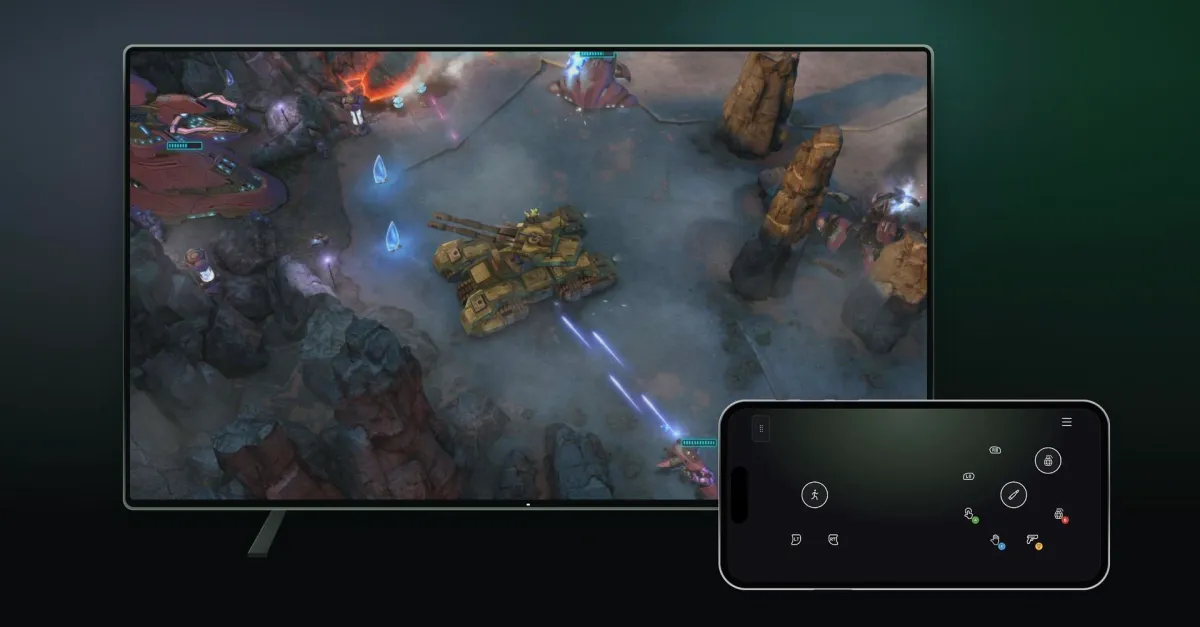
Microsoft is testing two new Xbox Cloud Gaming input methods: using a smartphone as a controller on smart TVs and connecting the Nano Controller directly to cloud servers via Wi-Fi. The phone option is available globally on supported TVs, while the low-latency Wi-Fi connection for the Nano Controller is restricted to US testers. These features aim to reduce input lag and expand accessibility for streaming players.
Key points
- Microsoft is testing two new input methods for Xbox Cloud Gaming: a smartphone virtual controller for smart TVs and a Wi-Fi direct connection for the Xbox Nano Controller.
- The smartphone controller allows users to play via a browser interface on supported smart TVs without downloading a dedicated app.
- The Wi-Fi connection for the Nano Controller bypasses Bluetooth to link directly to cloud servers, a feature currently available only to testers in the United States.
- Microsoft states the Wi-Fi option reduces input latency, making gameplay feel more responsive compared to traditional Bluetooth connections.
- Both features are in a limited preview phase, with availability and supported games varying by region and device.
New Input Methods for Cloud Gaming
Microsoft has officially announced the testing of two new ways to interact with Xbox Cloud Gaming, aiming to enhance accessibility and reduce input latency for streaming users. The company is rolling out a smartphone-based controller interface for smart TVs and enabling a direct Wi-Fi connection for the Xbox Nano Controller. These initiatives arrive just ahead of new time limits for the cloud gaming service, signaling a push to improve the user experience for subscribers who may not have traditional hardware.
The first preview feature allows users to utilize their smartphones as controllers when accessing Xbox Cloud Gaming on supported smart TVs. This functionality operates through a web browser interface, eliminating the need for users to download a dedicated application. Microsoft notes that some games feature custom controller layouts optimized for this interface. To activate this feature, users must navigate to the Settings and Account section within the Cloud Gaming interface on their TV and enable Preview Features. This approach mirrors similar functionality offered by other streaming services, such as Netflix, providing a convenient alternative for players who lack a physical gamepad nearby.
The second preview focuses on the Xbox Nano Controller, a compact gamepad designed for portability. Microsoft is enabling a new cloud connect feature that allows the controller to link directly to Xbox Cloud Gaming servers via Wi-Fi, rather than relying on a Bluetooth connection to the local device. This direct connection is intended to reduce input latency, potentially making gameplay feel more responsive. The Xbox team explained that this method connects the controller directly to the cloud server running the game, bypassing the intermediate device.
Availability for these features is currently segmented by region. Users located in the United States can begin previewing the new cloud connect option for the Xbox Nano Controller immediately. Those outside the US will have access to the smartphone controller option on smart TVs. Microsoft emphasized that both experiences are still under testing, and availability, supported games, and compatible devices may be limited during this beta phase.
Setting up the Wi-Fi connection for the Nano Controller requires specific steps. Users must first configure the gamepad using the Xbox beta app on Android or the Xbox Accessories app on PC. If users choose to set up the controller through the PC app, they must be enrolled in the Xbox Insider testing program to access the Wi-Fi connectivity options. Once configured, the controller can be connected to the cloud gaming session using the same account.
These updates reflect Microsoft's ongoing efforts to refine the cloud gaming ecosystem. By offering alternative control schemes, the company aims to lower the barrier to entry for streaming games. The smartphone controller option provides a solution for casual play or situations where a traditional controller is unavailable. Meanwhile, the Wi-Fi connection for the Nano Controller addresses technical concerns regarding latency, a common challenge in game streaming services.
Microsoft has not specified the duration of these preview periods or when the features might become generally available. The company continues to iterate on its cloud gaming infrastructure, balancing new features with the technical constraints of streaming technology. As the service evolves, these input methods may become standard options for Xbox Cloud Gaming subscribers worldwide.
Key takeaways
- Microsoft is testing a smartphone controller for smart TVs and a Wi-Fi direct link for the Nano Controller.
- The phone controller works via browser on supported TVs, requiring no app download.
- Wi-Fi cloud connect for the Nano Controller is currently limited to US testers.
- Direct Wi-Fi connection aims to reduce input latency compared to Bluetooth.
- Both features are in preview with limited device and game support.
Sources
The WireByte editorial team synthesises technology news from multiple primary sources, verifies the facts, and links every source. Articles are produced with AI assistance and reviewed under our editorial policy.